TASK-it Task Management
TASK-it is a comprehensive task management system developed by Roger Reece, based on the task features of Microsoft Outlook. While Outlook’s email and calendar functions are relatively straightforward, the task features are confusing and obscure. As a result, most people don’t use them. Microsoft has done a great job in providing all the features you need to configure a great task management system, but what’s the most effective way to configure and use those features? TASK-it!
Out of Your Head and into the System
Your brain is a wonderful instrument for generating ideas and bringing them into reality, but it isn’t the best task management system. When I give my brain the responsibility of remembering everything that needs to be done and managing the entire process, it works overtime at doing the best job it can. Thoughts and concerns about what needs to be done pop up at random, and the more there is to do, the more chaotic and pressured the mental gyrations become.
Most stressed-out workaholics suffer more from their own random, self-imposed internal pressures than they do from external forces. The brain functions best when the extraneous details are handled and it can focus on the task at hand. TASK-it is an external support system designed to offload all unnecessary task management functions from your brain and give you the freedom to flow into each task with the power of presence.
Download
the Book!
Are you ready to raise the bar on
your time management effectiveness? Implement TASK-it
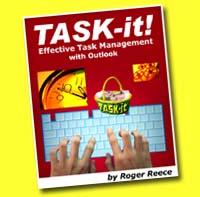
now. Roger Reece's 75-page ebook, TASK-it:
Effective Task Management with Outlook
will show you how.
This 75-page downloadable eBook
is available exclusively on this website free of charge.
Click
the picture on the left to download your copy of the
ebook in PDF format.
This book is all you need to take
your personal productivity to the next level!
|
But in order to achieve a successful TASK-it implementation, you must overcome the urge to over-rely on your brain in the task management process. If you’ve ever transitioned into the role of manager from the role of individual contributor, you may have already experienced the tendency to continue to do it all yourself. Effective managers stop doing it all themselves, and learn the arts of delegation, empowerment, trust and accountability.
Configuring Outlook for TASK-it
If you investigate the Task features in Outlook, you’ll discover a lot of features and data fields that make it seem very complicated. It's a catch-all feature set that can be configured to support a wide range of users and applications. But the complexity and flexibility tends to scare people away, and for a good reason. You don’t need a system that complicates your life and makes it harder than it already is to get everything done.
For this reason, TASK-it doesn’t use many of the task features in Outlook. If you had the time and the inclination, you could probably come up with a great way to configure and use Outlook to meet your task management needs. But who has time to learn all the intricacies of Outlook and design the perfect configuration and set of procedures? That’s where TASK-it comes in. It’s a simple way of configuring and using Outlook as a highly effective task management system that’s easily adaptable to anyone’s work style.
There are plenty of good software packages out there, but we learned long ago that whiz-bang software companies come and go, and you can be left high and dry if you depend on them to continue to develop and support their products year after year. In our opinion, you can’t go wrong with Outlook. Software companies come and go, but Microsoft is here to stay. And besides, odds are you’re already using Outlook for your email and calendar, so TASK-it is a no-brainer. Just do a little tweaking based on the prescribed TASK-it format and you’ll be ready to move forward with a great task management system.
TASK-it: Effective Task Management with Outlook - eBook Contents
- Introduction
- The Value of Task Management
- What is TASK-it?
- Getting Past the Dips in the Road
- Configuring Outlook 2007 for TASK-it
- Chapter One: Time, Task & Self Management
- Time Management
- Task Management
- Self Management
- The Power of Presence
- Out of Your Head and into the System
- Delegate the Tracking of Your Tasks to TASK-it
- Empower TASK-it to Support You
- Trust Your System
- Hold TASK-it Accountable
- Chapter Two: Getting Started
- The Four Primary Outlook Functions
- Working with Tasks
- The To-Do Bar
- The To-Do List View vs. the Tasks List View
- Creating a New Task in Outlook
- Setting Up Your TASK-it Categories
- Adding TASK-it Categories to the Outlook Categories List
- Chapter Three: Configuring
Your TASK-it View
- The Outlook Tasks Current View
- Creating Your TASK-it View
- Grouping Your TASK-it View by Category
- Outlook Task Fields Used by TASK-it
- Displaying the Fields You Want to See
- Sorting the Tasks within Each Category
- Filtering Completed Tasks from the TASK-it View
- Your TASK-it View is Ready to Roll
- Chapter Four: Entering Tasks into the System
- Creating a New Task
- Creating a Task from an Email
- Creating a Task from a Calendar Item
- Creating a Task with Your PDA or Smartphone
- Recurring Tasks
- Make Your Initial Task Collection and Input a Priority
- Chapter Five: Managing Your Tasks
- Printing Your Task Lists
- Daily Planning and Task Review Sessions
- Monthly Planning and Task Review Sessions
- Using TASK-it throughout Your Workday
- Using TASK-it for a More Effective Personal Life
- Chapter Six: Managing Projects
- The Role of TASK-it in Project Management
- Convert Large Tasks into Projects and Give Them a Jumpstart
- Setting up a Project Template
- When a Task Gets Stalled, Make it a Jumpstart Task
- Chapter Seven: Delegating and Monitoring
- Implicit and Explicit Delegation… and TASK-it
- Dumping and Waiting
- Confirming What You Expect
- Monitoring the Task’s Progress
- Tracking Delegated Tasks until Completion
- Assigning Tasks to Others through Outlook
- Chapter Eight: Ideas and Goals
- Planting Your Ideas in TASK-it
- Germinating Ideas through Monthly Review Sessions
Converting Ideas into Goals and Projects
- Completed Tasks and the Feeling of Accomplishment
- Chapter Nine: Configuring & Using the To-Do Bar
- The Outlook To-Do Bar
- Customizing the To-Do Bar
- Group your To-Do Bar Tasks View by Category
- Display the Fields You Want to See
- Sort the Tasks within Each Category
- Filter Completed Tasks from the Taskpad View
- The Outlook Calendar's Daily Task List
- Chapter Ten: Getting All Your Tasks into TASK-it
- Managing Your Things
- Your “Enter All Tasks” Project
- Enter All Tasks – Jumpstart
- Enter All Tasks – Physical Inbox
- Enter All Tasks – Outlook inbox
- Enter All Tasks – From My Desk
- Enter All Tasks – From My Workspace
- Enter All Tasks – From My Home
- Enter All Tasks – From My Head
- Chapter Eleven: Creative Tips for Task Input
- Creative Tips for Task Input
- Chapter Twelve: Staying Committed
- Moving Past the Dips: Making TASK-it a Habit
- The Revolution and the Evolution of TASK-it
Make TASK-it Your External Support System
When you rely on TASK-it as your external support system, you stop trying to remember and manage tasks on your own. When a task that you can’t do immediately comes to mind, enter it into the system and delegate the management of the task to TASK-it. When you delegate the tracking of the task to your system, your mind can be at rest, because you know TASK-it will handle the job.
So what are you waiting for? Download the ebook and start using TASK-it today!